
MyGig Wallet
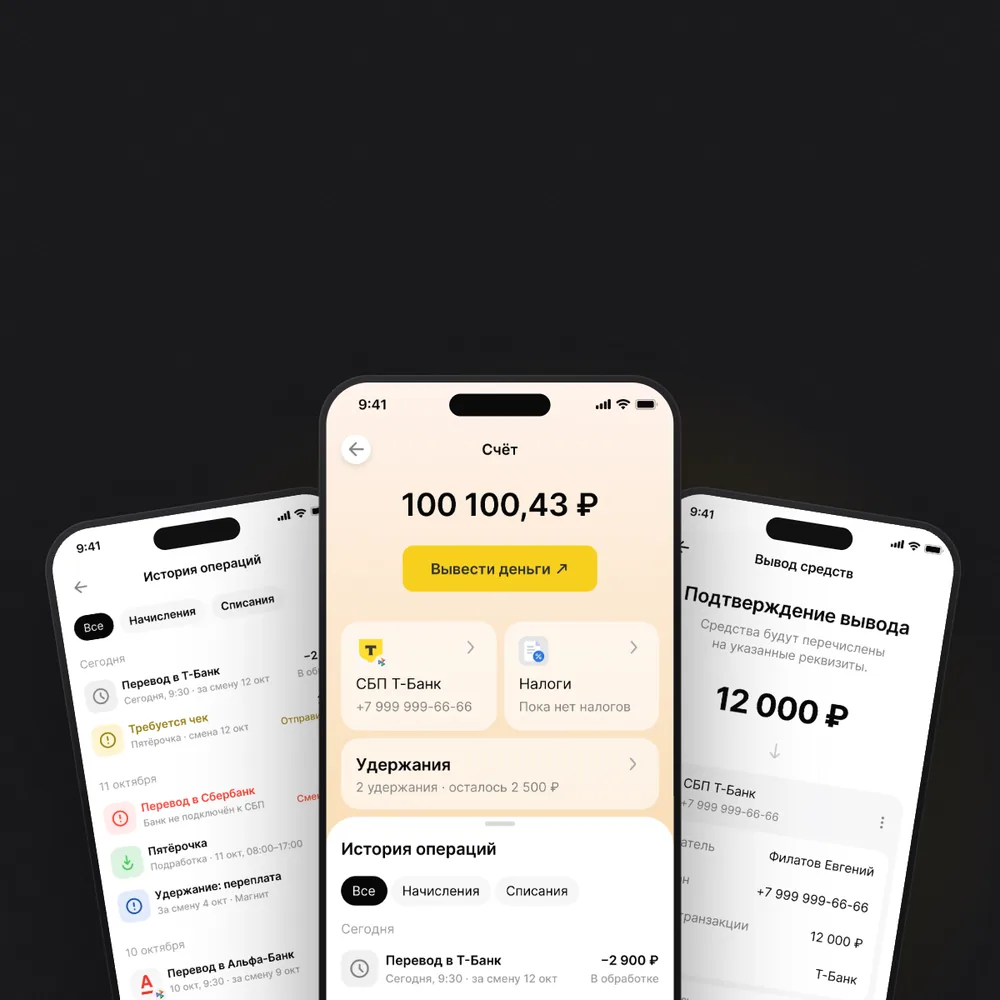
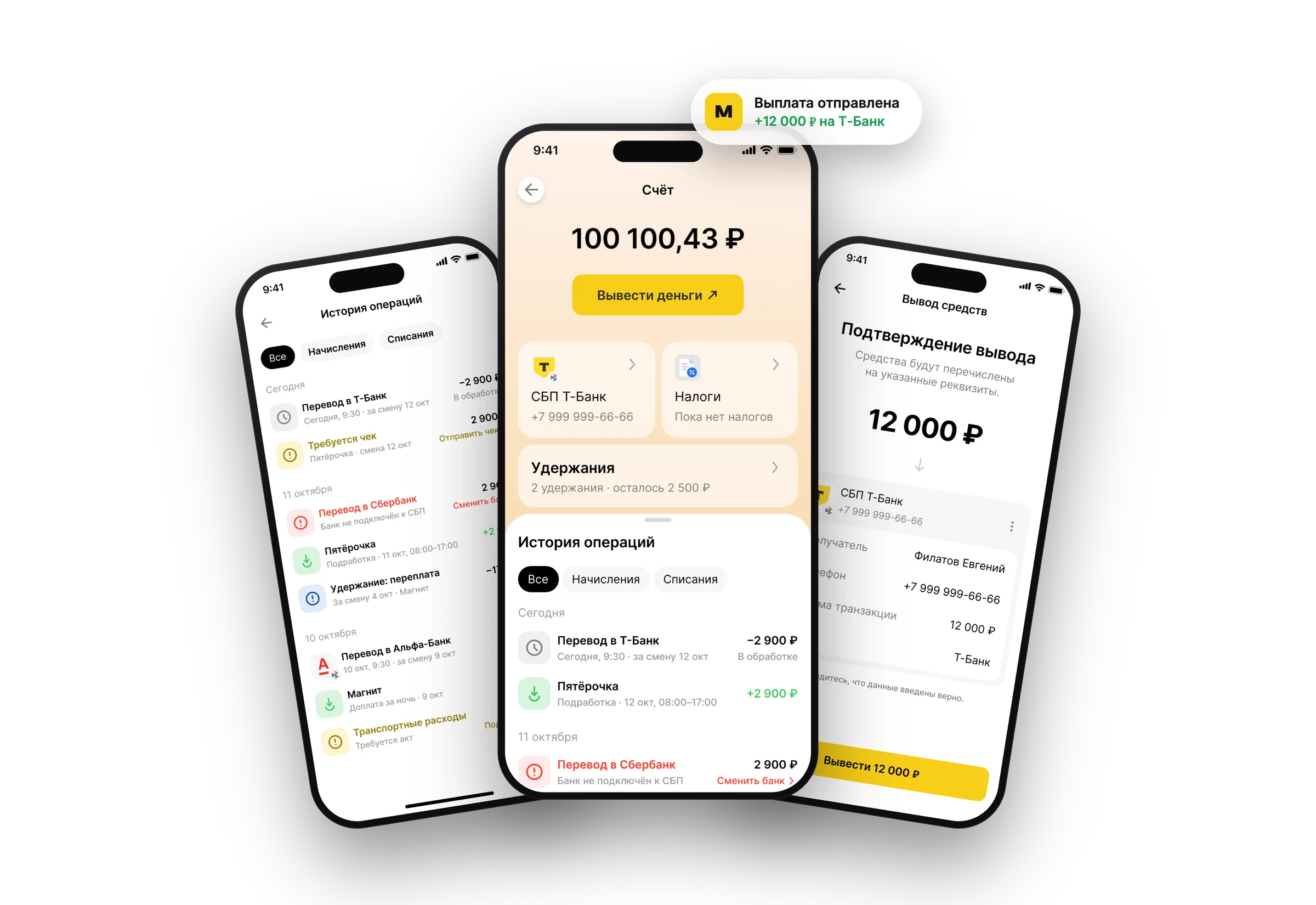
The money side of a gig marketplace: balance, withdrawal through SBP, payout statuses, deductions and taxes.
Role
Product Designer (Sole Designer)
Team
20+ people
Timeline
2026
Tools
Figma, Pathway, After Effects, Miro
A marketplace for short-term gig work
MyGig connects employers with workers for short-term shifts — cashiers, warehouse pickers, promoters, movers. Both sides of the marketplace live in the same app.
The two-sided model meant every design decision had to account for competing needs. The redesign was done on a live product with real users — no room for breaking changes.
01
Case · Fintech
Wallet & payouts: balance, withdrawal, deductions
The job
For a gig worker the payout is the point of the shift. The wallet has to answer three questions at a glance: how much can I take out, where will it go, and what is holding it up.
I designed the money side of the app end to end: the balance screen, withdrawal through SBP (Russia's Faster Payments System), the operation history with its statuses, deductions, and the links to taxes and documents. The redesign is complete and on its way to release.
Scope
- →Balance and withdrawal to any SBP bank by phone number
- →Operation history: accruals, withdrawals and deductions, with filters
- →Status rows that carry their own next step
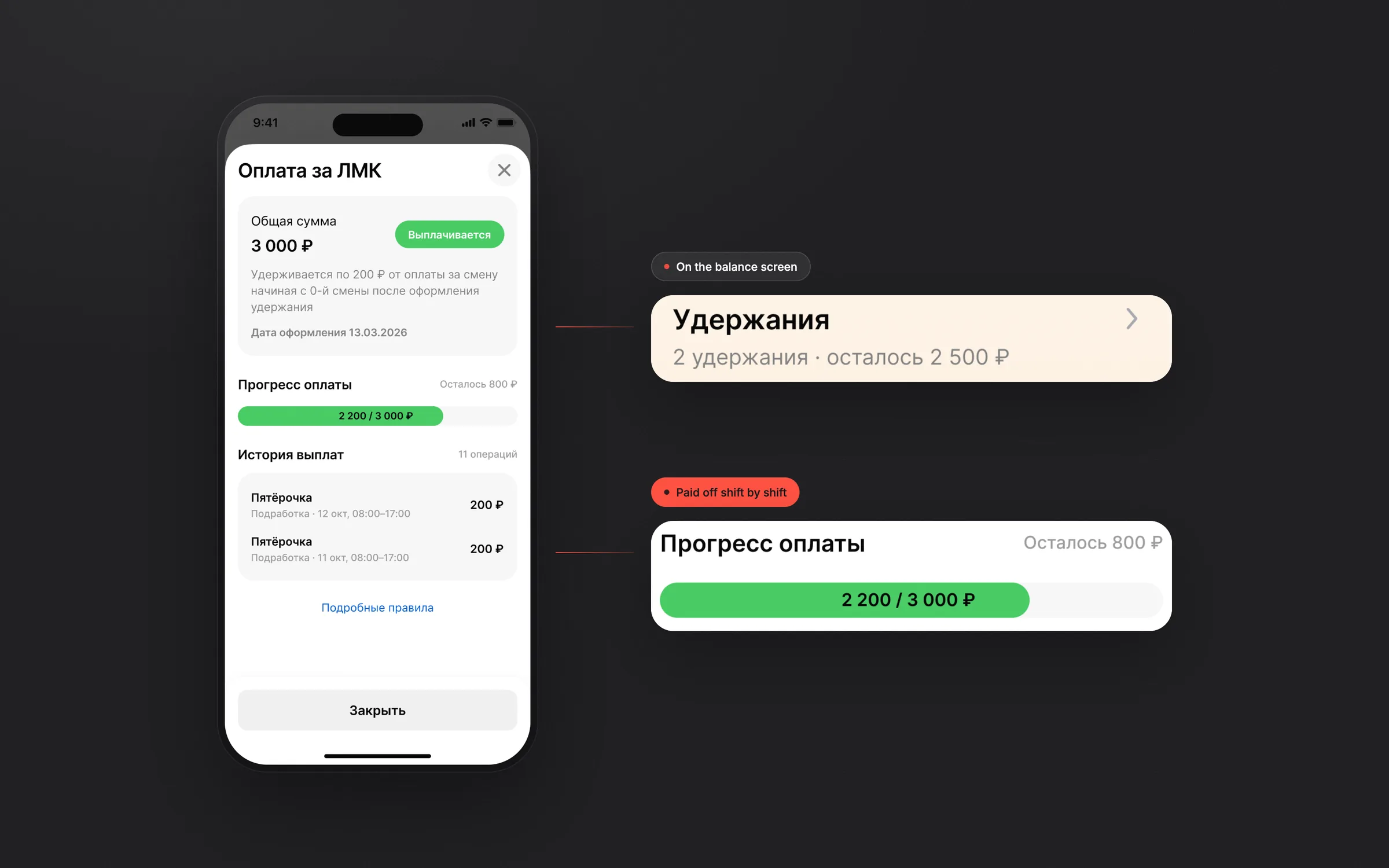
- →Deductions with a rule, progress and every payment
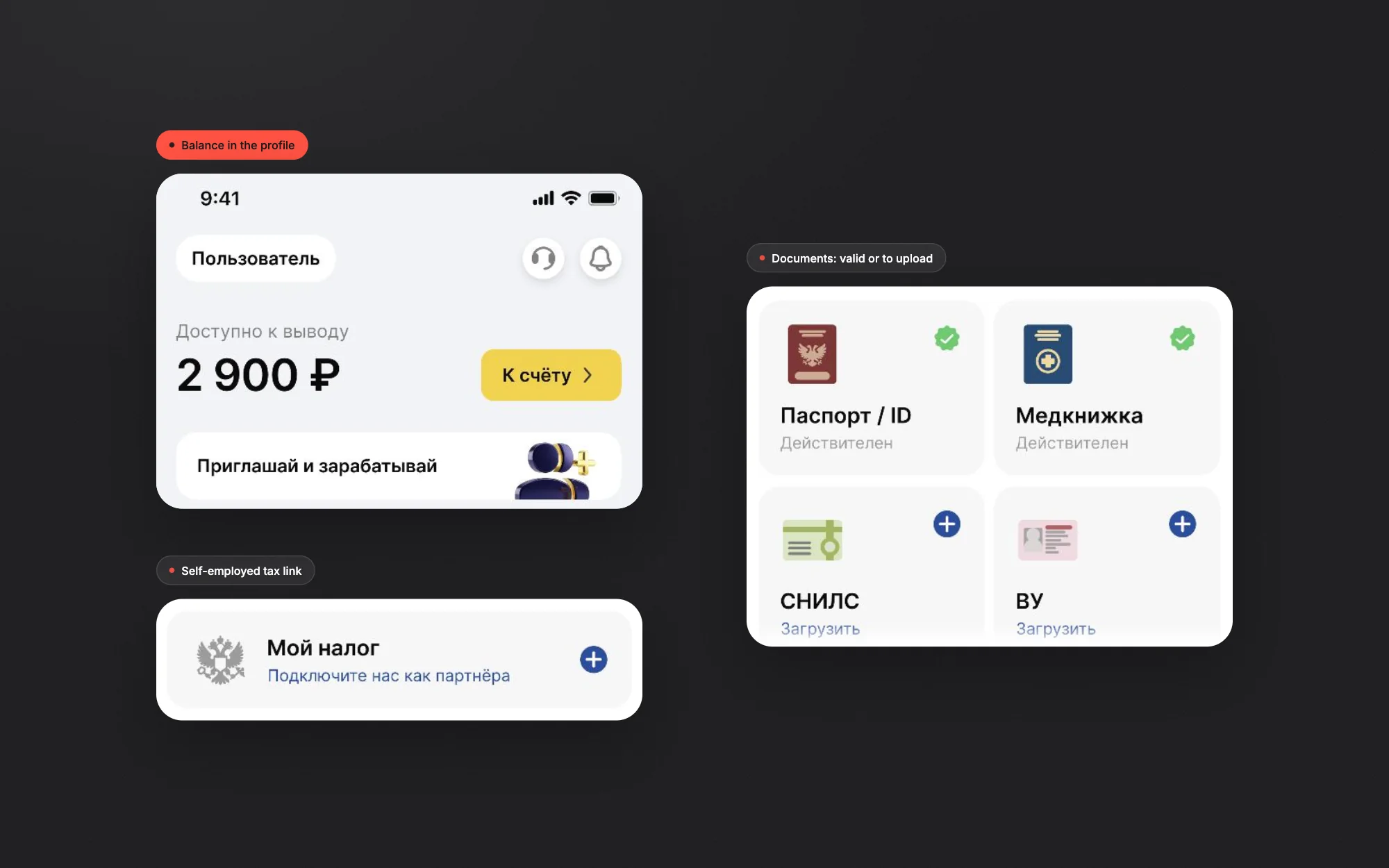
- →Self-employed tax link and document status in the profile
01Withdrawal in three steps
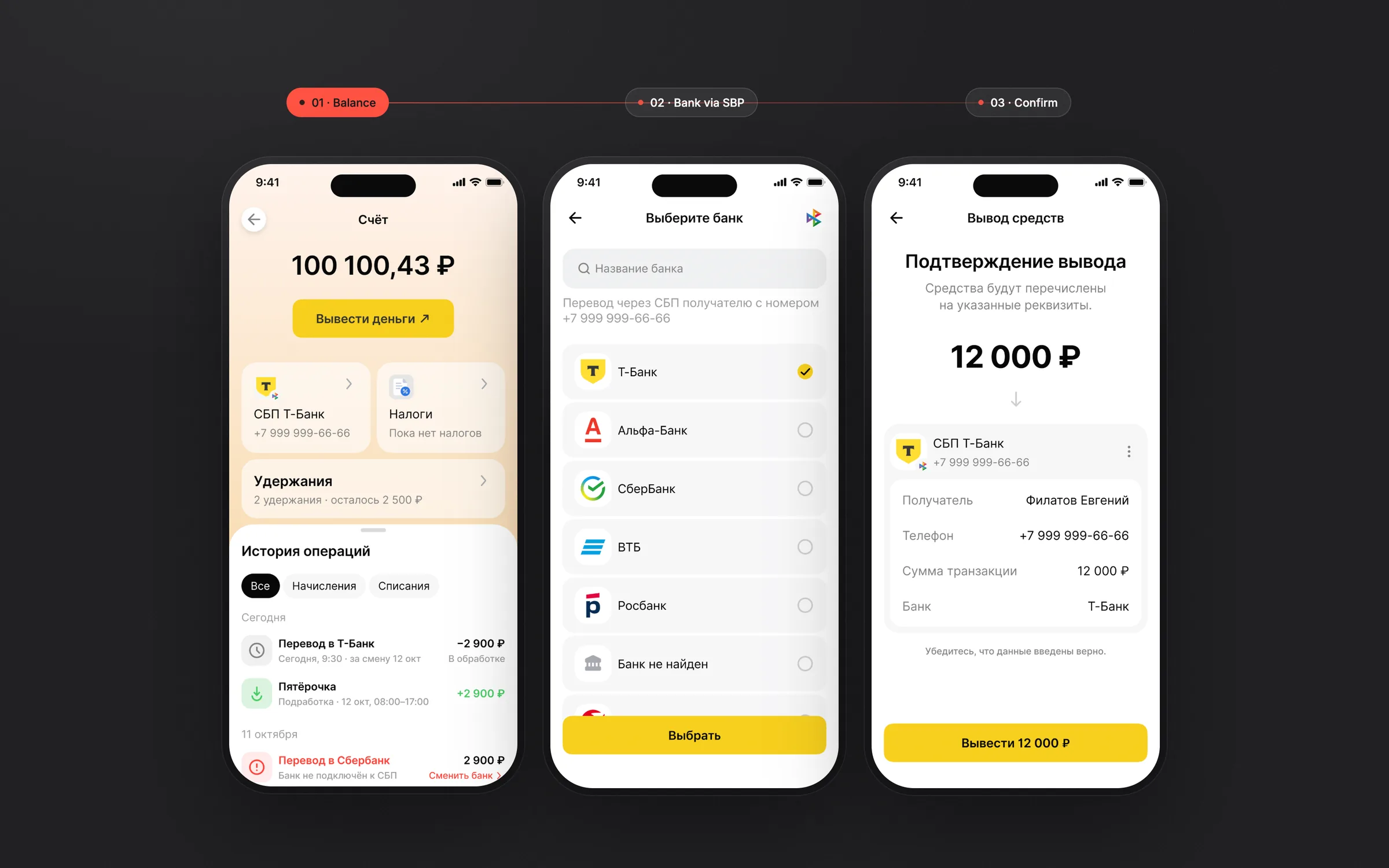
Balance, bank, confirmation. The bank is picked from the SBP list by the phone number already in the profile, and the confirmation screen repeats recipient, phone, amount and bank before anything is sent.
02Every status has a next step
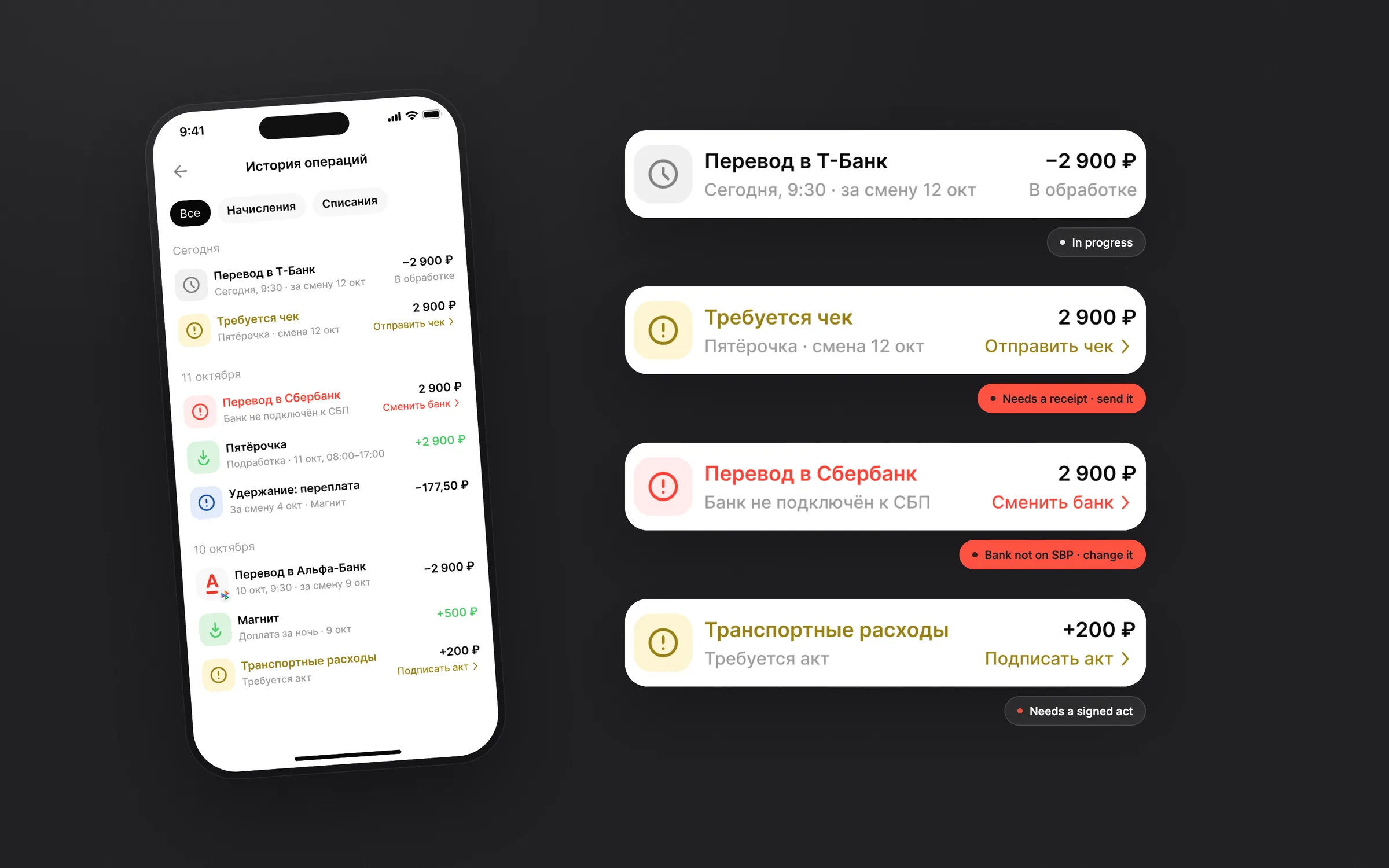
A payout can stall for different reasons: the receipt isn't sent, the bank isn't on SBP, an act isn't signed. Each of these rows says what happened and puts the fix right in the row (send the receipt, change the bank, sign the act) instead of a generic error.
03Deductions you can follow
Deductions show on the balance screen with how many there are and what is left. Inside, each one has the total, the rule (for example, 200 ₽ from every shift), a progress bar and the history of payments, so nothing is taken silently.
04Money next to taxes and documents
The amount available to withdraw sits at the top of the profile, next to the self-employed tax link (Мой налог) and the document cards: valid ones are marked, missing ones have an upload action.
Key design decisions
One screen for money
Balance, bank, taxes and deductions sit on one screen, with the history in a sheet below: the whole picture is one scroll away.
Plain words and colour
Statuses say what happened in plain words: “Bank not connected to SBP”, “Receipt required”. Red marks a failed transfer, yellow marks a step the worker has to take.
Check before money moves
The confirmation screen works as a receipt in advance: recipient, phone, amount and bank, plus a reminder to check them.
Every amount names its shift
Accruals and deductions carry the shift they belong to (“for the shift on 12 Oct”), so workers can match money to work.